> For the complete documentation index, see [llms.txt](https://broadcast.presidiocreative.com/llms.txt). Markdown versions of documentation pages are available by appending `.md` to page URLs; this page is available as [Markdown](https://broadcast.presidiocreative.com/updates/whats-new-in-broadcast/about-v8.1-release.md).
# About v8.1 release
Additional information on recent Broadcast updates
This update for the Broadcast Shopify theme introduces new features including a Motif preset, new dynamic and “Shop the Look” sections, and expanded block settings, along with multiple UX, performance, and structural improvements across menus, overlays, articles, and Quick View. It also resolves issues regarding accessibility, mobile behavior, and media to improve overall stability and user experience.
### New Sections
With the 8.1 release we are introducing two minimalist sections that make your store look more elegant.
#### **Shop the look: Gallery**
Our cleanest grid section that not only serves as a gallery, but also has a built in quick add function to increase your store's conversion rate.
#### Dynamic content
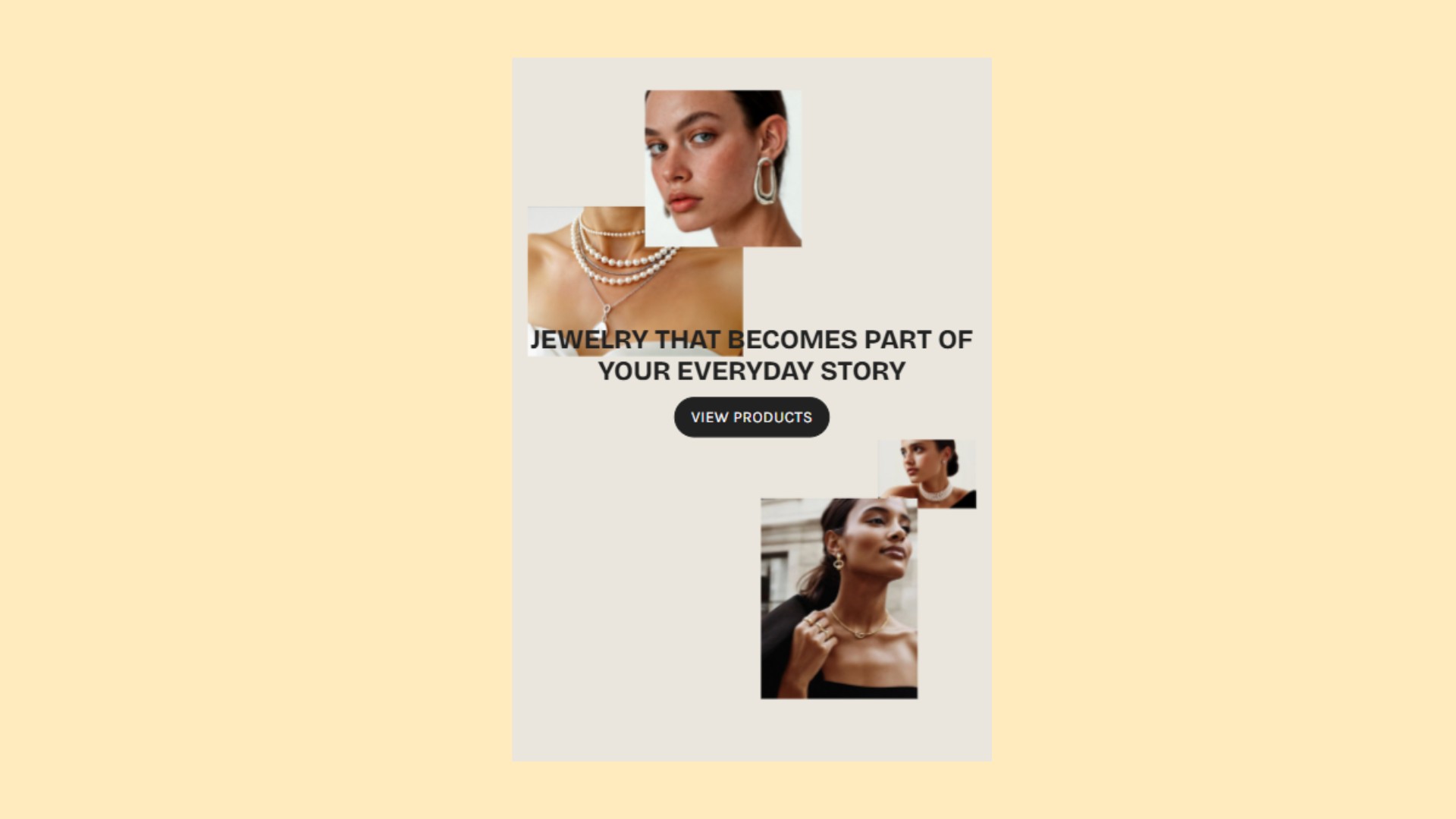
Grid-based layout that allows you to place floating images with precision.
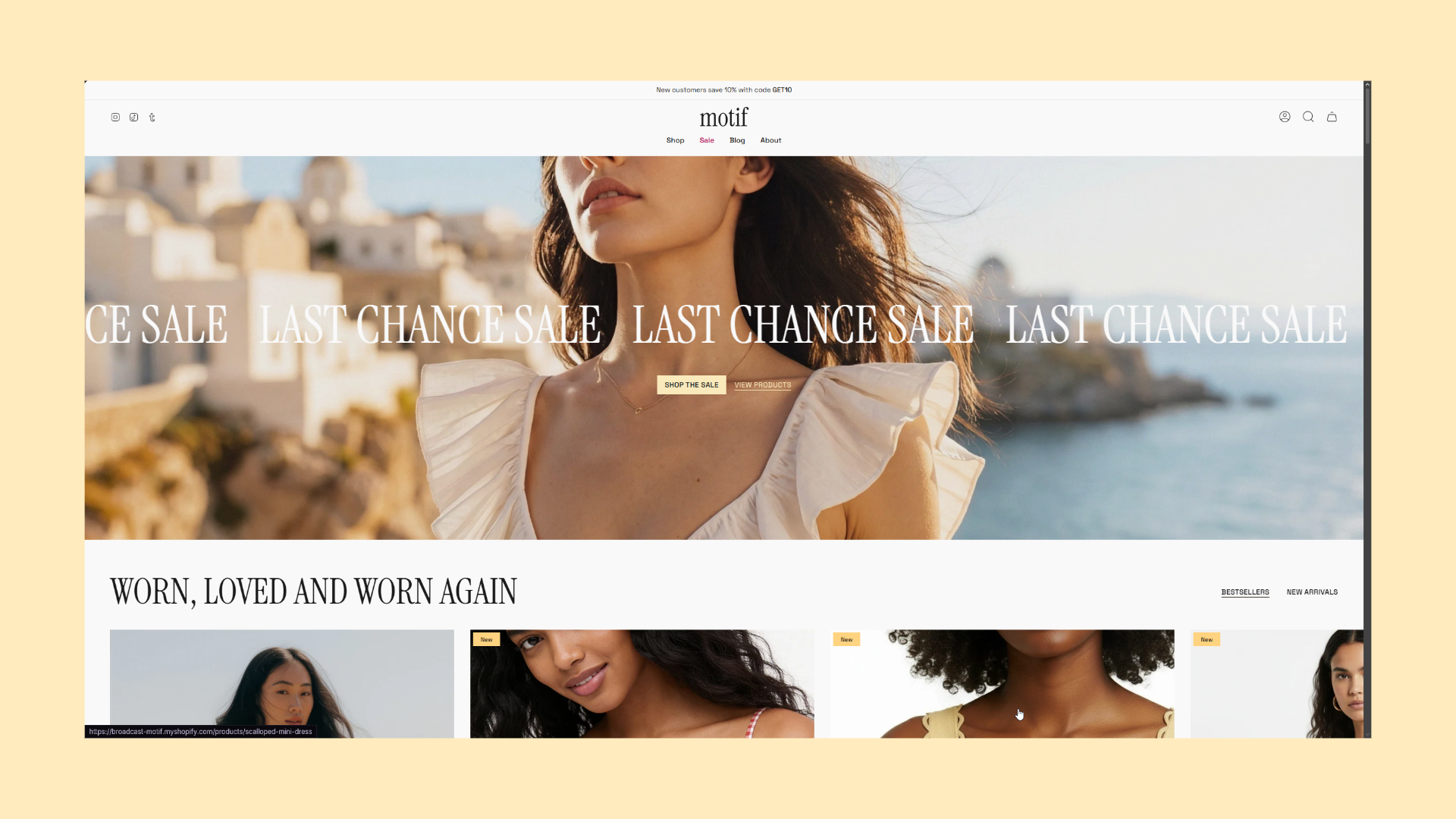
Desktop Example
Mobile Example
#### Motif Preset
Our newest Broadcast demo blends modern fashion storytelling, designed to showcase the new designs our theme has to offer. Designed to highlight products through simplicity and balance, the demo showcases new sections like the Shop the Look Gallery.
{% hint style="info" %}
[Broadcast - New Motif Demo Store](https://broadcast-motif.myshopify.com/)
{% endhint %}
***
### Added
**New features, sections, presets, or capabilities added**
* New Motif Preset
* New section: Shop the look: Gallery
* New section: Dynamic content
* Highlights section - new block settings
***
### Changed
**Enhancements, updates, optimizations, UX improvements, or structural refinements**
* Mobile menu - Remove “pin to bottom” functionality from most blocks
* Overlay in color schemes
* Update demos
* Update theme listing folder
* Updates (general maintenance updates)
* Performance updates
* Finish CSS structure and improvements for Quick view modal
* Article title - heading improvements
***
### Fixes and other improvements
**Bug fixes, regressions, display issues, accessibility fixes, and broken functionality**
#### Product / Variant / Pricing
* Buy It Now adds incorrect variant
* Sibling swatches not rendered correctly on product grid
* Sale price showing twice for variants with discount
* Sale Badge “money” showing wrong value
* Variant ID missing via search
* Product grid content flickering when hovering swatches
* Products with image bug (full width padded)
* Cart bar feature - Add to cart button not working
#### Sections & Blocks
* Featured Image - Overlay type option doesn’t work
* Advanced text block issue in Scrolling text section
* Scrolling text section overlap issue
* Product section - Buy Buttons display issue
* Custom content - Video block overflow
* Rich text with columns section limited to one button block
* Reverse block placement not working in Product/Custom sections
* Multi-column extra spacing under images
#### Cart / Cart Drawer
* Cart drawer display issues (Safari + Chrome height shift)
* Quantity dropdown issue on Cart page (desktop)
* Dynamic Checkout Button not appearing on fresh version
#### Menu / Header / Layout
* Mobile menu height static across dropdown layers
* Header CTA button overflow
* Visual problems when moving sections
#### Forms / Customer / Orders
* Notify Me When Out of Stock form issue
* Incorrect order details
* Incorrect order information (“Sale type: Pre-order”)
* Missing text/button on customer reset password page
* Product form shipping policy appearing automatically
#### Accessibility & UX
* Accessibility issue - drawer menu
* Voiceover issues (A11y)
* Newsletter popup unresponsive on iOS
#### Media / Quick View / Display
* Quick view image container broken
* Recently Viewed additional images option not working properly
***
## Try Broadcast 8.1
For additional examples and to try Broadcast for free, visit our demo stores and download the latest version of Broadcast:
[Shopify Theme Store - Broadcast](https://themes.shopify.com/themes/broadcast/presets/broadcast)
Existing customers can update for free. To preserve your live published theme, use the Shopify Update tool. The update tool will download an additional theme to your theme library and only copy the settings from your live theme. This is the safest and easiest method of updating your theme.
{% content-ref url="/pages/0qElhOashZYoHtI5gvSr" %}
[How to update Broadcast](/faq/frequently-asked-questions/how-to-update-broadcast.md)
{% endcontent-ref %}
---
# Agent Instructions
This documentation is published with GitBook. GitBook is the documentation platform designed so that both humans and AI agents can read, navigate, and reason over technical content effectively. Learn more at gitbook.com.
## Querying This Documentation
If you need additional information that is not directly available in this page, you can query the documentation dynamically by asking a question.
Perform an HTTP GET request on the current page URL with the `ask` query parameter, and the optional `goal` query parameter:
```
GET https://broadcast.presidiocreative.com/updates/whats-new-in-broadcast/about-v8.1-release.md?ask=&goal=
```
`ask` is the immediate question: it should be specific, self-contained, and written in natural language.
`goal` is optional and describes the broader end goal you are ultimately trying to accomplish on behalf of the user. GitBook uses it to tailor the answer towards what is most useful for that goal.
The response will contain a direct answer to the question and relevant excerpts and sources from the documentation.
Use this mechanism when the answer is not explicitly present in the current page, you need clarification or additional context, or you want to retrieve related documentation sections.