# Text

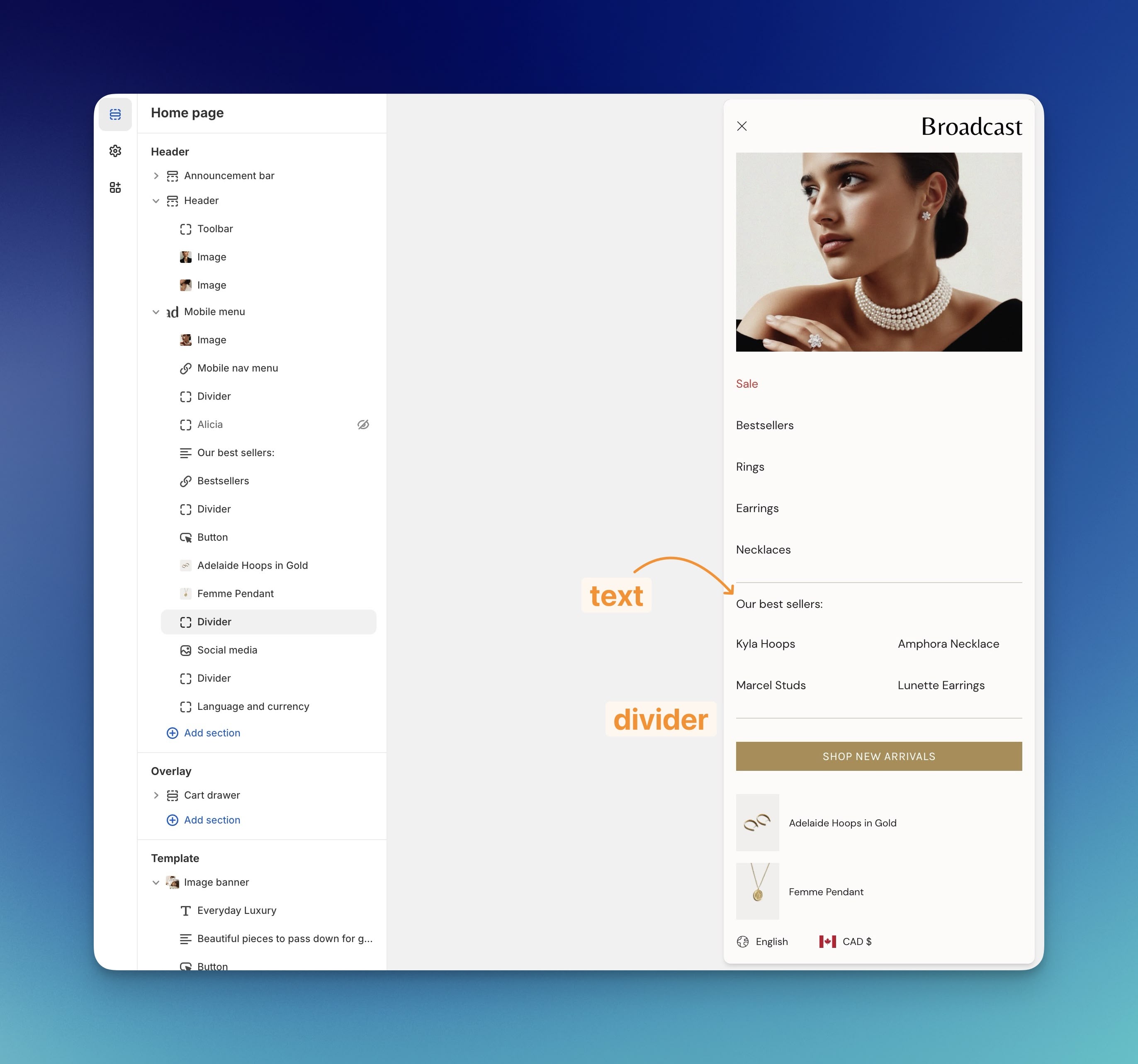
The text block can be used anywhere in the mobile menu to add additional text:

<figure><img src="https://content.gitbook.com/content/sD7BEEDU3B7WiEJlN0F7/blobs/7knZfaPvEtTKCmNl5t0T/text-divider.jpg" alt=""><figcaption></figcaption></figure>

Combine these custom mobile menu blocks to build the perfect mobile experience for your shoppers. These features will be added to the desktop version of the mobile cart drawer in a future release.&#x20;

## Block settings

<table><thead><tr><th width="145.1875">Settings</th><th width="160.58856201171875" align="center">Type</th><th>Description</th></tr></thead><tbody><tr><td>Text</td><td align="center"><code>textarea</code></td><td>Add your message.</td></tr><tr><td>Text alignment</td><td align="center"><code>select</code></td><td>Align text: <code>Left</code> or <code>Center</code>.</td></tr><tr><td>Text size</td><td align="center"><code>select</code></td><td>Adjust size: <code>Extra small</code>, <code>Small</code>, <code>Medium</code>, <code>Large</code>, or <code>Extra large</code>.</td></tr><tr><td><strong>Block spacing</strong></td><td align="center"></td><td></td></tr><tr><td>Padding bottom</td><td align="center"><code>range</code></td><td>Adjust bottom padding.</td></tr></tbody></table>
