# Menu

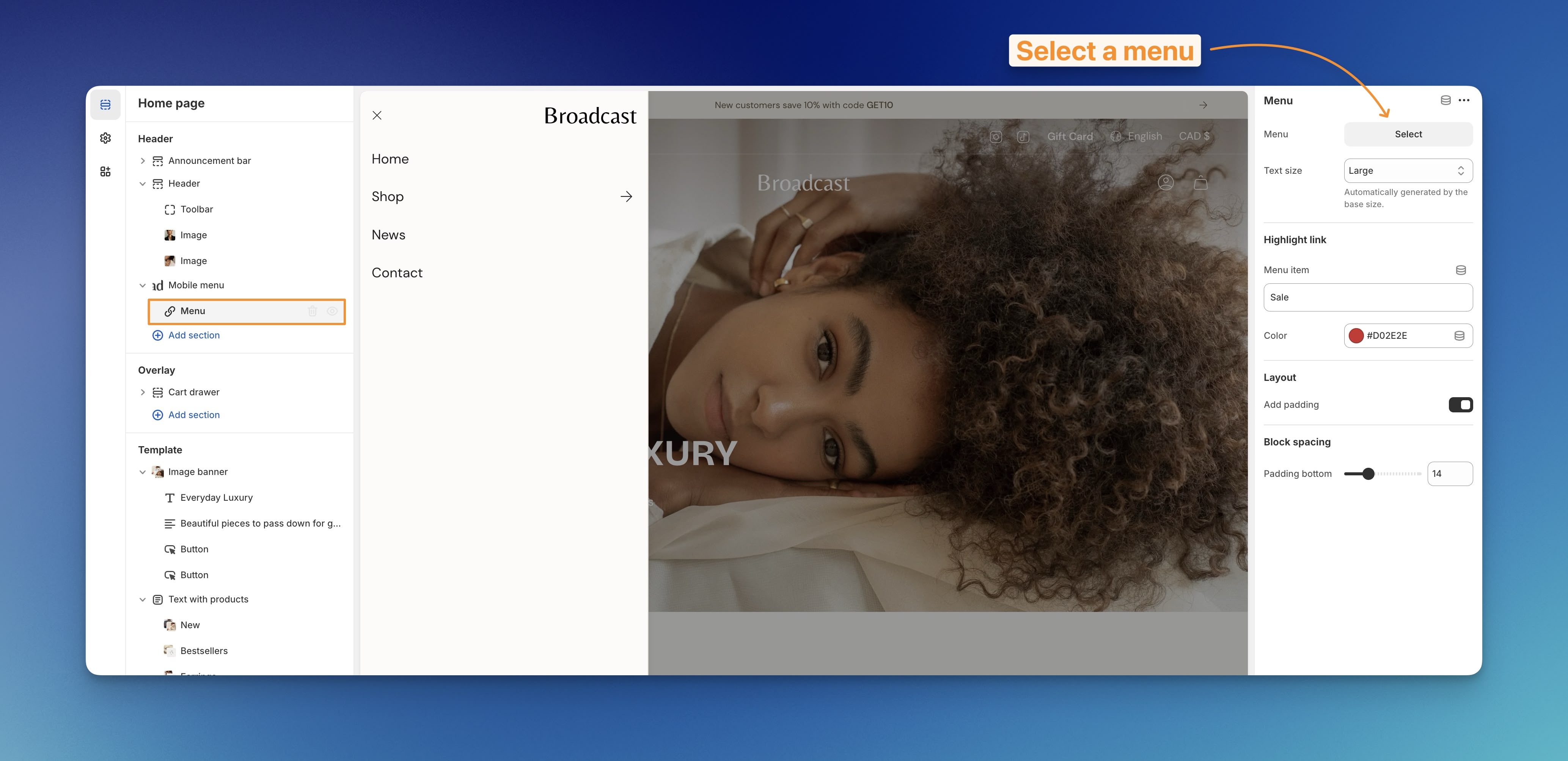
Use this block to configure your initial menu items. Choose an existing Shopify Navigation Menu to easily add links:

<figure><img src="https://content.gitbook.com/content/sD7BEEDU3B7WiEJlN0F7/blobs/ols8i2Emd6WxXyiX8QUw/select-a-menu-block.jpg" alt=""><figcaption></figcaption></figure>

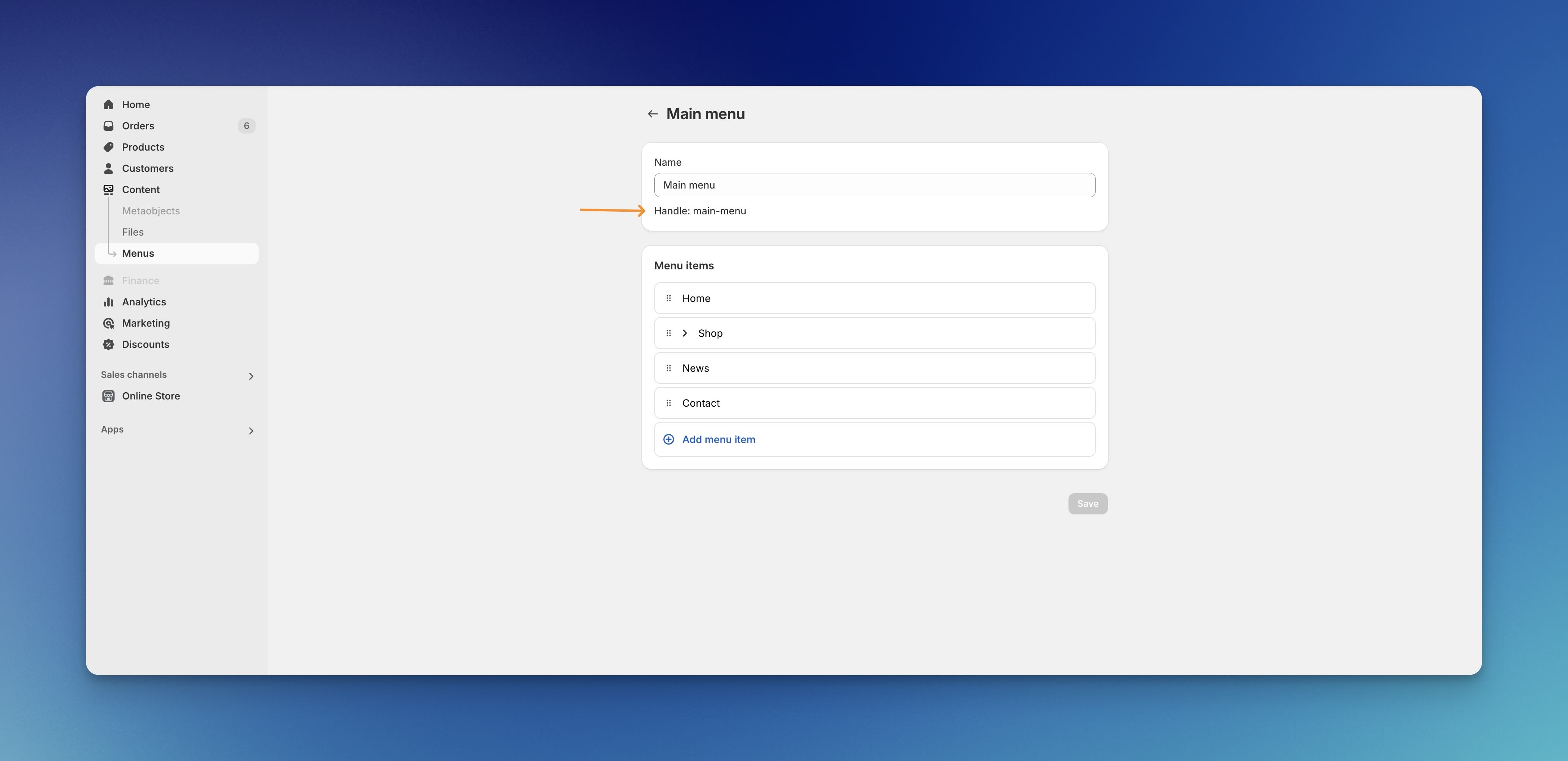
* By default, Broadcast will use the `main-menu` navigation:

<figure><img src="https://content.gitbook.com/content/sD7BEEDU3B7WiEJlN0F7/blobs/VHfRTxYeqDuS7x8Dr9I7/main-menu.jpg" alt=""><figcaption></figcaption></figure>

* You can choose a different menu for custom links.&#x20;
* Use the highlight link option to add color to a particular menu item, like 'Sale'.

## Block settings

<table><thead><tr><th width="145.74041748046875">Settings</th><th width="119.103271484375" align="center">Type</th><th>Description</th></tr></thead><tbody><tr><td>Menu</td><td align="center"><code>link_list</code></td><td>Choose a menu from your navigation.</td></tr><tr><td>Text size</td><td align="center"><code>select</code></td><td>Adjust text size: <code>Extra small</code>, <code>Small</code>, <code>Medium</code>, <code>Large</code>, or <code>Extra large</code>.</td></tr><tr><td><strong>Highlight link</strong></td><td align="center"></td><td></td></tr><tr><td>Menu item</td><td align="center"><code>text</code></td><td>Add a menu item name to highlight.</td></tr><tr><td>Color</td><td align="center"><code>color</code></td><td>Choose a highlight color.</td></tr><tr><td><strong>Layout</strong></td><td align="center"></td><td></td></tr><tr><td>Add padding</td><td align="center"><code>checkbox</code></td><td>Add padding around content.</td></tr><tr><td><strong>Block spacing</strong></td><td align="center"></td><td></td></tr><tr><td>Padding bottom</td><td align="center"><code>range</code></td><td>Adjust bottom padding.</td></tr></tbody></table>
