> For the complete documentation index, see [llms.txt](https://broadcast.presidiocreative.com/llms.txt). Markdown versions of documentation pages are available by appending `.md` to page URLs; this page is available as [Markdown](https://broadcast.presidiocreative.com/broadcast-v5/sections/broadcast-sections/timeline.md).
# Timeline
Display an interactive timeline of events and progress
Broadcast includes a unique interactive timeline section to showcase events, milestones, goals or even age-based shopping options.
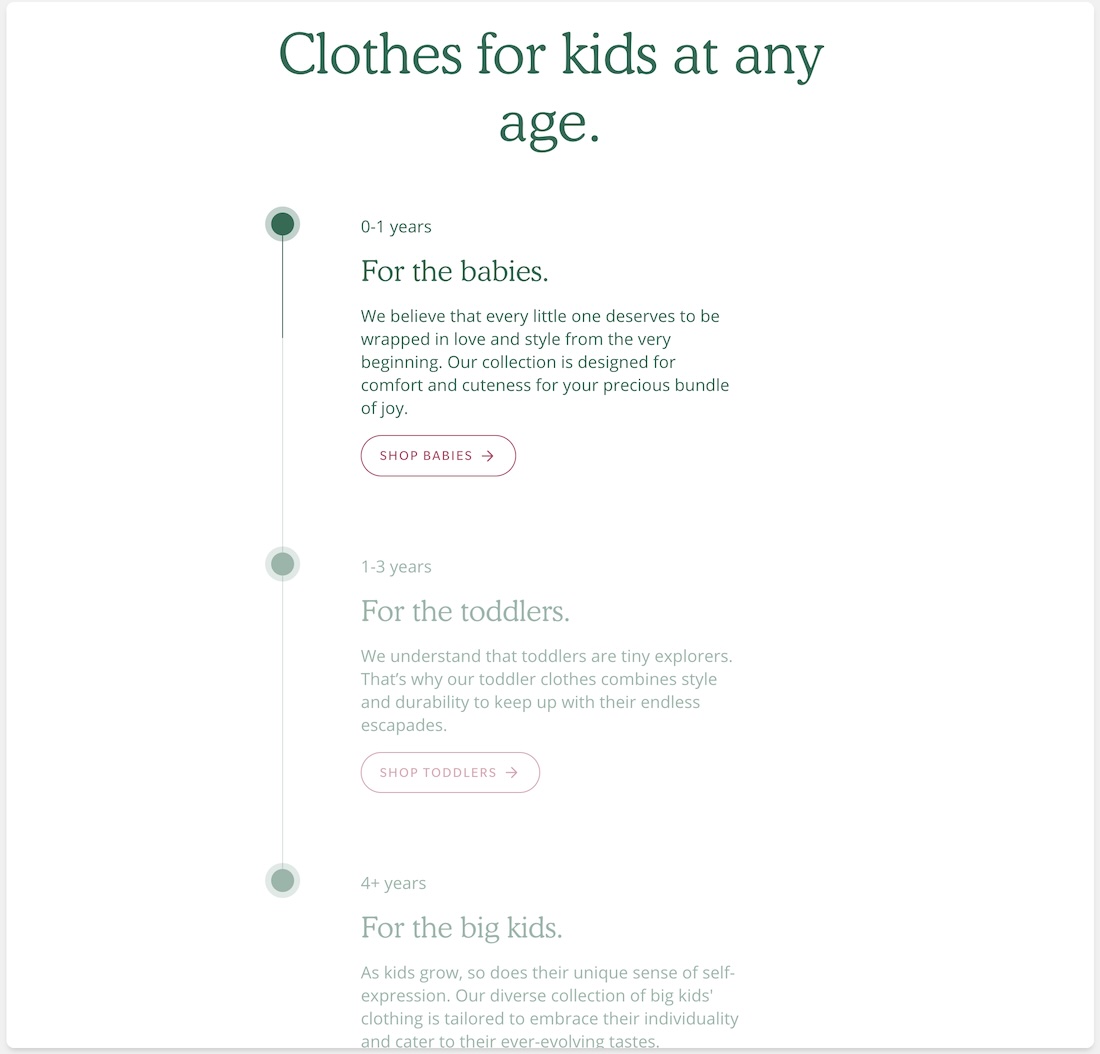
Timeline used to shop by age group
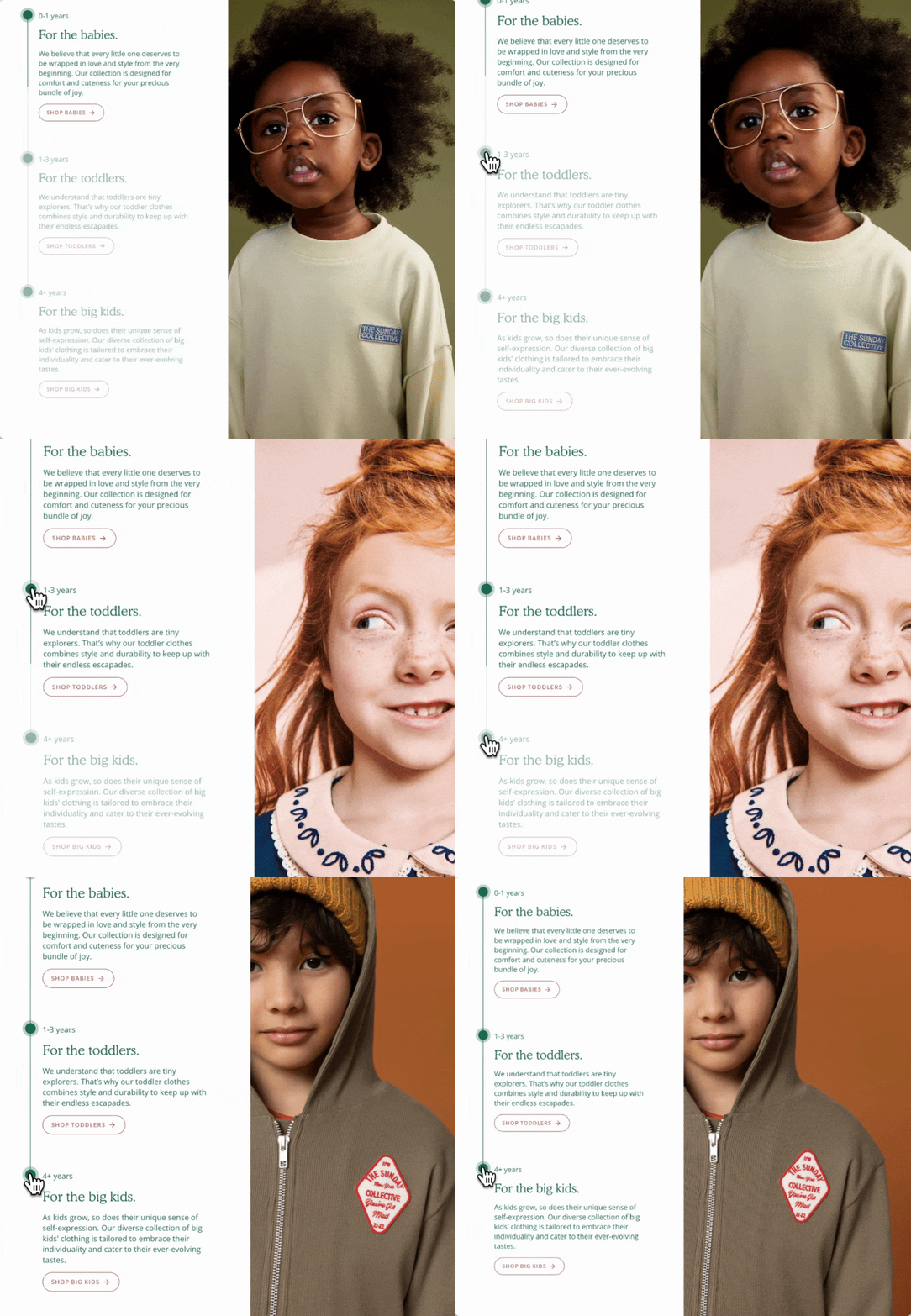
With modern animation effects, this section enhances the online shopping experience for customers who scroll down the page or click on the timeline hotspots.
### Flexible
The timeline section can be used with or without images for simple text-based content or rich sliding images.
Focus changes as shoppers scroll down the page
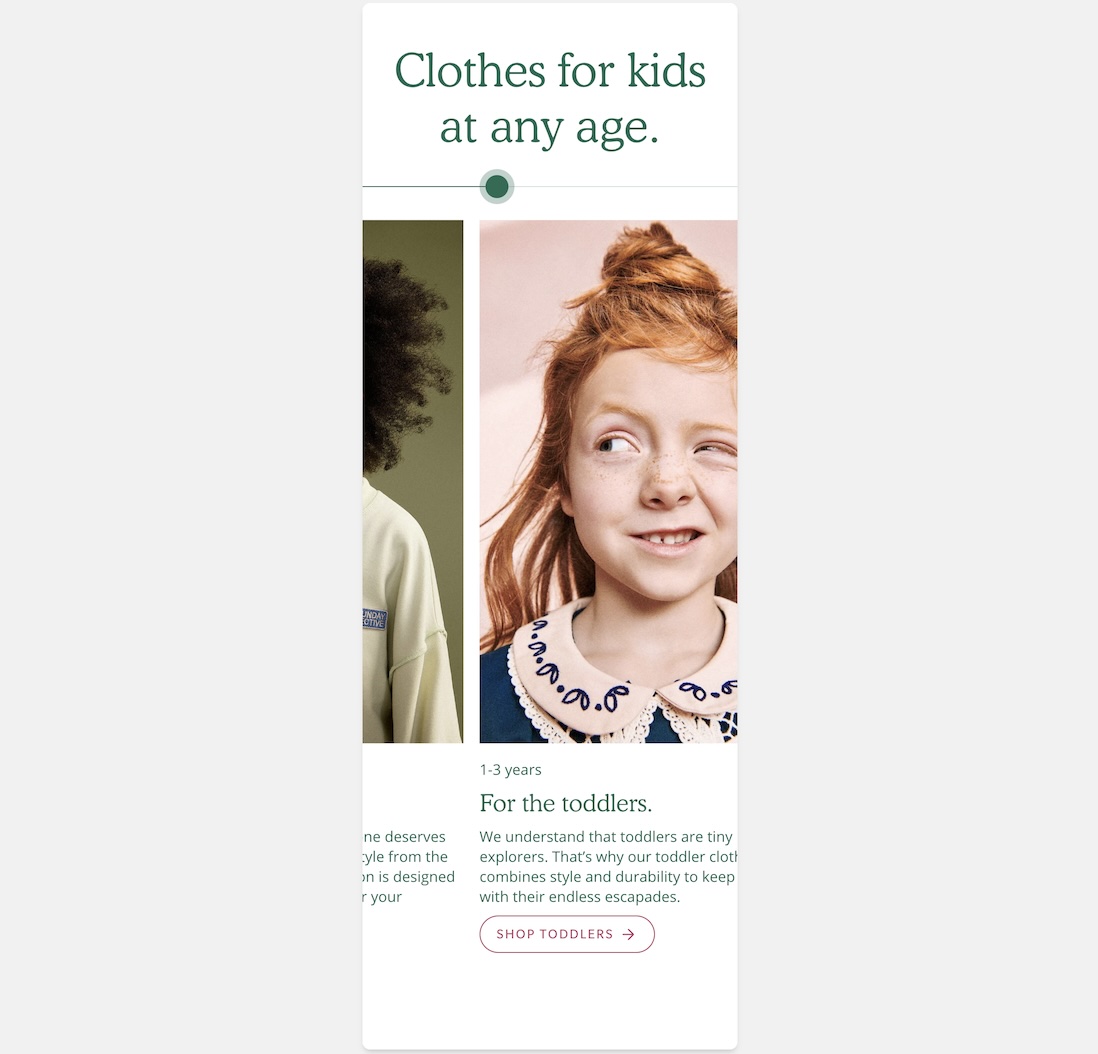
Mobile users experience a horizontal sliding version that's easy to swipe through.
Swipe through timeline periods on mobile
### Customize
Use the **section** settings to configure the presentation of the section:
* Add an optional heading, which can also be sized and aligned.
* Toggle using images
* With the color options, you can change the hotspot color, text, and section background.
* Adjust the mobile height setting to match the best size for your images.
* Section padding options help match the desired layout for your page.
Each timeline **block** has options to configure the period information:
* Add an image for the timeline period.
* The subheading is placed above the main heading text.
* Add your heading and choose a size.
* Use the text for your main description content.
* The optional call-to-action button can link to any page. Use the button style and color options to complete each period in the timeline.
### Video Overview
This video demonstrates the configuration options for both desktop and mobile views of the timeline section and how to configure the timeline periods:
{% embed url="" %}
**Video overview of the timeline section in Broadcast**
{% endembed %}
---
# Agent Instructions
This documentation is published with GitBook. GitBook is the documentation platform designed so that both humans and AI agents can read, navigate, and reason over technical content effectively. Learn more at gitbook.com.
## Querying This Documentation
If you need additional information that is not directly available in this page, you can query the documentation dynamically by asking a question.
Perform an HTTP GET request on the current page URL with the `ask` query parameter, and the optional `goal` query parameter:
```
GET https://broadcast.presidiocreative.com/broadcast-v5/sections/broadcast-sections/timeline.md?ask=&goal=
```
`ask` is the immediate question: it should be specific, self-contained, and written in natural language.
`goal` is optional and describes the broader end goal you are ultimately trying to accomplish on behalf of the user. GitBook uses it to tailor the answer towards what is most useful for that goal.
The response will contain a direct answer to the question and relevant excerpts and sources from the documentation.
Use this mechanism when the answer is not explicitly present in the current page, you need clarification or additional context, or you want to retrieve related documentation sections.